Save a milestone
Find a meaningful point again without turning every automatic checkpoint into a new decision.
The product
PowerSystem extends the VeraGrid native engineering desktop. The model, diagram, cases and results remain visible while the assistant helps you discover, plan and prepare candidate work. A candidate is never a silent change to the Original.
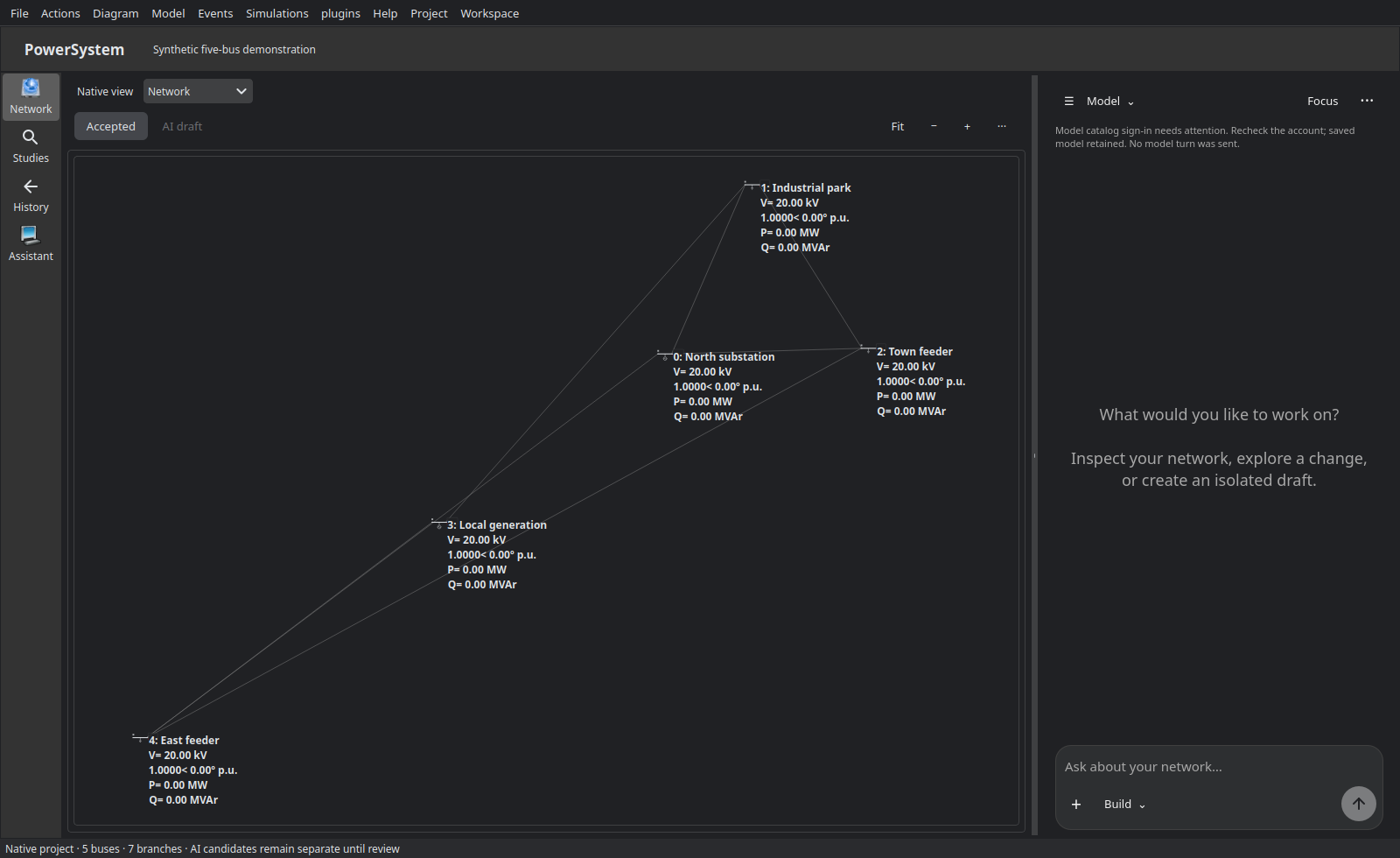
Inspect in context
The native engineering view remains the reference for topology and device identity. This is a deliberately synthetic five-bus diagram arranged in the actual application; it is not a customer model or a construction drawing.
See the first-study sequence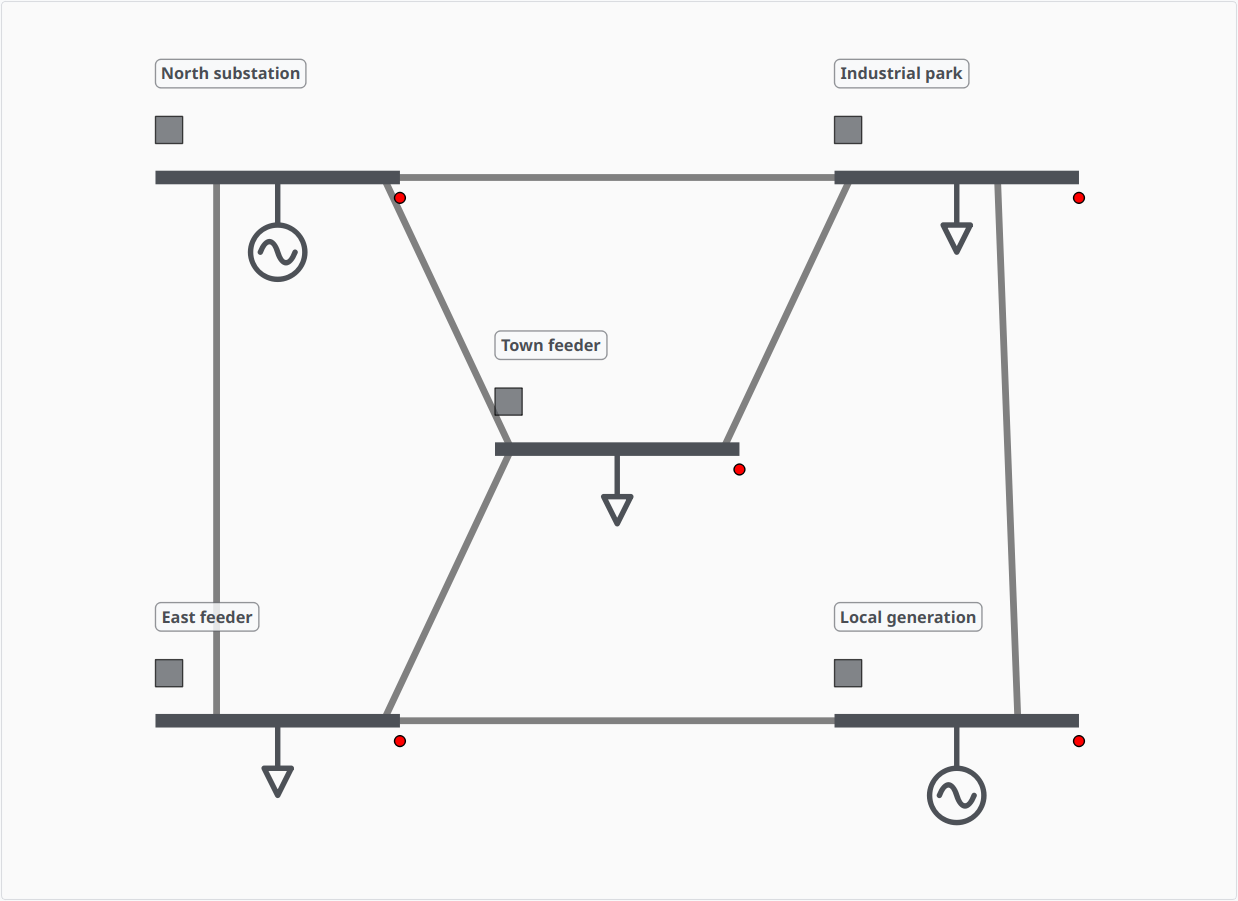
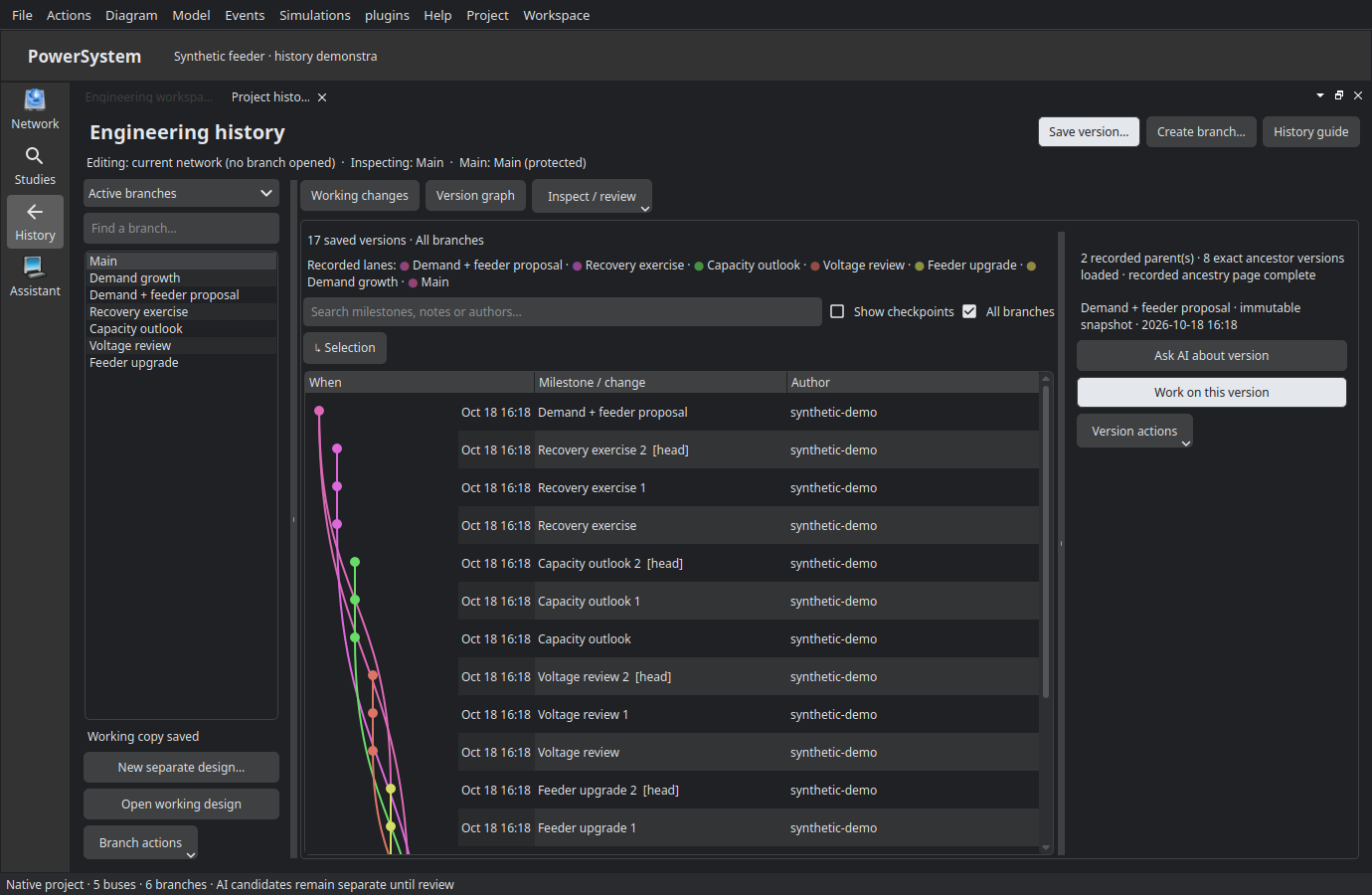
Native engineering history
Name milestones and keep alternatives side by side. Compare exact versions, inspect lineage and evidence, and choose how conflicts are resolved. Bringing a proposed change into Main remains a separate human review.
Find a meaningful point again without turning every automatic checkpoint into a new decision.
Try another design in its own working copy. Switching designs preserves pending work instead of silently replacing Main.
Inspect property-level changes and choose each conflict resolution. A combined version is a proposal, not approval.
This describes the current native workspace; customer installer availability is shown separately on Downloads.
AI Build work is detached. Inspect native object and file differences before an explicit human acceptance step. Implement plan submits the selected plan; it does not Apply.
Named cases and immutable versions bind the network snapshot, scenario, solver, settings, warnings and outputs.
Results expose failed, unsupported and incompatible conditions. Cross-solver disagreement remains review evidence, never an average dressed as approval.
From view to evidence
The native result explorer displays a retained balanced AC base-case run for this synthetic five-bus case, with measured quantities, units and recorded limits. A pass is not independent cross-solver acceptance or sign-off.
Walk through the study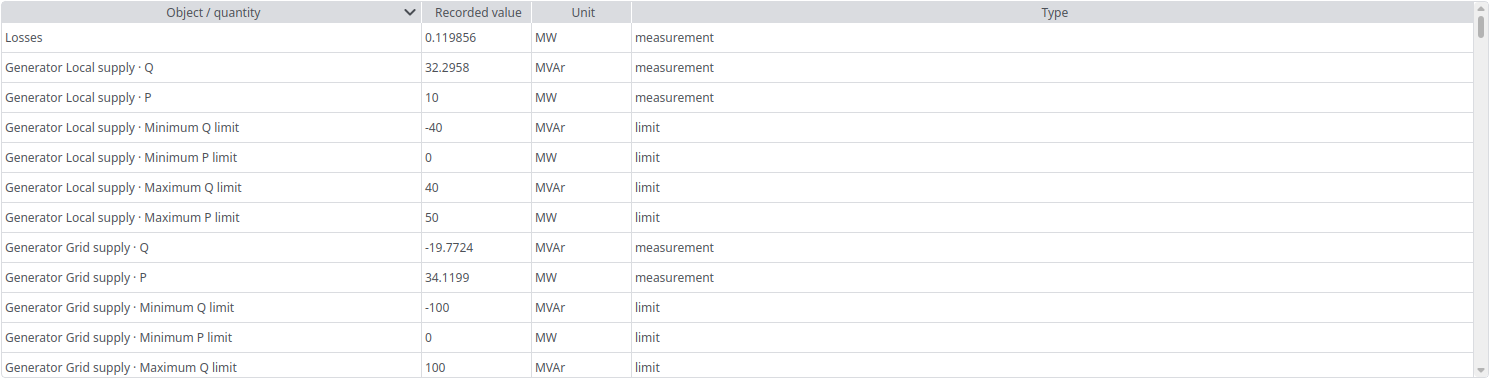
PowerSystem reuses VeraGrid's editor and diagrams. The extension adds bounded workflows, retained receipts and typed assistant access; it does not claim every upstream device, solver menu or file format has been qualified.
A customer installation uses its own product sign-in. It never receives the developer's account, provider key or local tools. Check current account availability.